

Agent Skills
什么是Agent Skills
教大模型如何处理数据。
创建首个Skills
1.创建Skill文件夹
在目录.claude/skills下创建文件夹explaining-code
mkdir -p ~/.claude/skills/explaining-code2.此文件夹explaining-code中创建SKILL.md
每一个Skills文件夹中SKILL.md是必须的!SKILL.md 文件中需要以元数据(metadata)作为开头。其中name与当前Skills文件夹名相同,description形容此SKILL的描述。
---
name: explaining-code
description: Explains code with visual diagrams and analogies. Use when explaining how code works, teaching about a codebase, or when the user asks "how does this work?"
---SKILL.md的其余部分称之为指令(instructions)
---
name: explaining-code
description: Explains code with visual diagrams and analogies. Use when explaining how code works, teaching about a codebase, or when the user asks "how does this work?"
---

When explaining code, always include:

1. **Start with an analogy**: Compare the code to something from everyday life
2. **Draw a diagram**: Use ASCII art to show the flow, structure, or relationships
3. **Walk through the code**: Explain step-by-step what happens
4. **Highlight a gotcha**: What's a common mistake or misconception?

Keep explanations conversational. For complex concepts, use multiple analogies.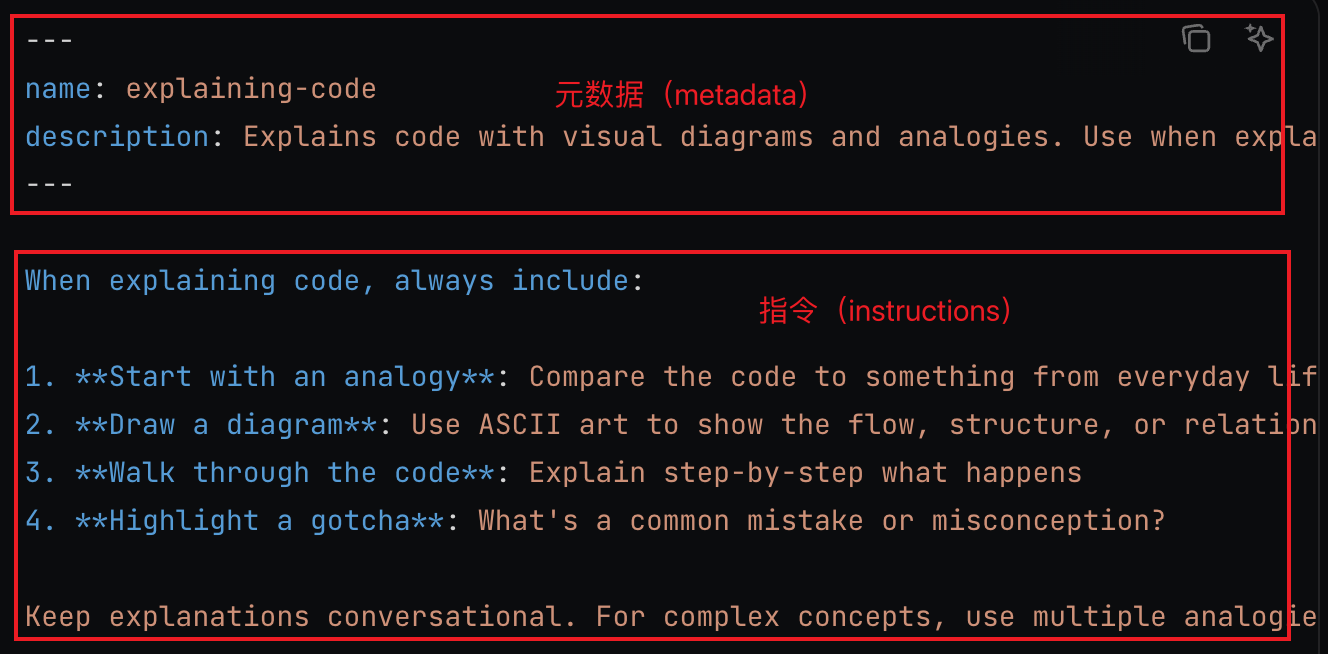
3.验证Skills的加载
在ClaudeCode中输入进行Skills验证。
What Skills are available?
Skills vs. MCP的对比
Skills教Claude如何处理数据;MCP 提供数据本身。例如,MCP 服务器将 Claude 连接到您的数据库,而技能则教会 Claude 您的数据模型和查询模式。
Skills vs. MCP: Skills tell Claude how to use tools; MCP provides the tools. For example, an MCP server connects Claude to your database, while a Skill teaches Claude your data model and query patterns. —— 官网原文。
Agent Skills 的核心价值
Agent Skills 代表了 AI 代理能力扩展的新范式,它通过以下特性实现了高效的专业化:
1. 渐进式加载:
按需加载内容,优化 token 使用
可以打包无限量的参考资料
Token 节省高达 94%
2. 文件系统架构
支持脚本执行,提供确定性操作
代码不进入上下文,只有输出消耗 token
自然的文件组织方式
3. 可组合性
组合多个 Skills 构建复杂工作流
每个 Skill 专注单一职责
灵活适应不同场景
4. 跨平台支持
API、Claude.ai、Claude Code、Agent SDK
统一的 SKILL.md 格式
可移植性强
参考:
评论